
Customer Cases
Pricing

Maximizing User Experience with WeTest CrashSight's Support for Multiple Platforms (Part One)

WeTest CrashSight is a leading crash management platform that helping mobile, PC and console developers locate and resolve issues more quickly and efficiently.

WeTest CrashSight is a leading crash management platform that helping mobile, PC and console developers locate and resolve issues more quickly and efficiently. In this article, we will discuss WeTest CrashSight features and how it can help businesses improve their user experience.

Basic features:

Exception overview

• WeTest CrashSight displays the crash rate, numbers of crashes, affected devices, and connected users, as well as hourly top problems in real time by project.

• WeTest CrashSight displays the daily distribution of systems, devices, and application versions in real time.

• WeTest CrashSight displays the daily top problems with the most severe impact in real time.

Crash/ANR/Error reporting

• Crash reporting:

Report comprehensive and accurate crash data and supports fatal out of memory (FOOM) errors.

• ANR reporting:

Optimizes the ANR detection scheme to improve the detection accuracy.

• Error reporting:

Report the level information of errors at the engine layer and custom error messages.

Problem categorization and analysis

WeTest CrashSight provides the following capabilities for a single exception:

• Display of basic information, including abnormal stack, tracking data, system log, and

device model and system.

• In-depth analysis of information, including affected version, device information, reporting trends, custom data, stack recategorization, and characteristic statistics.
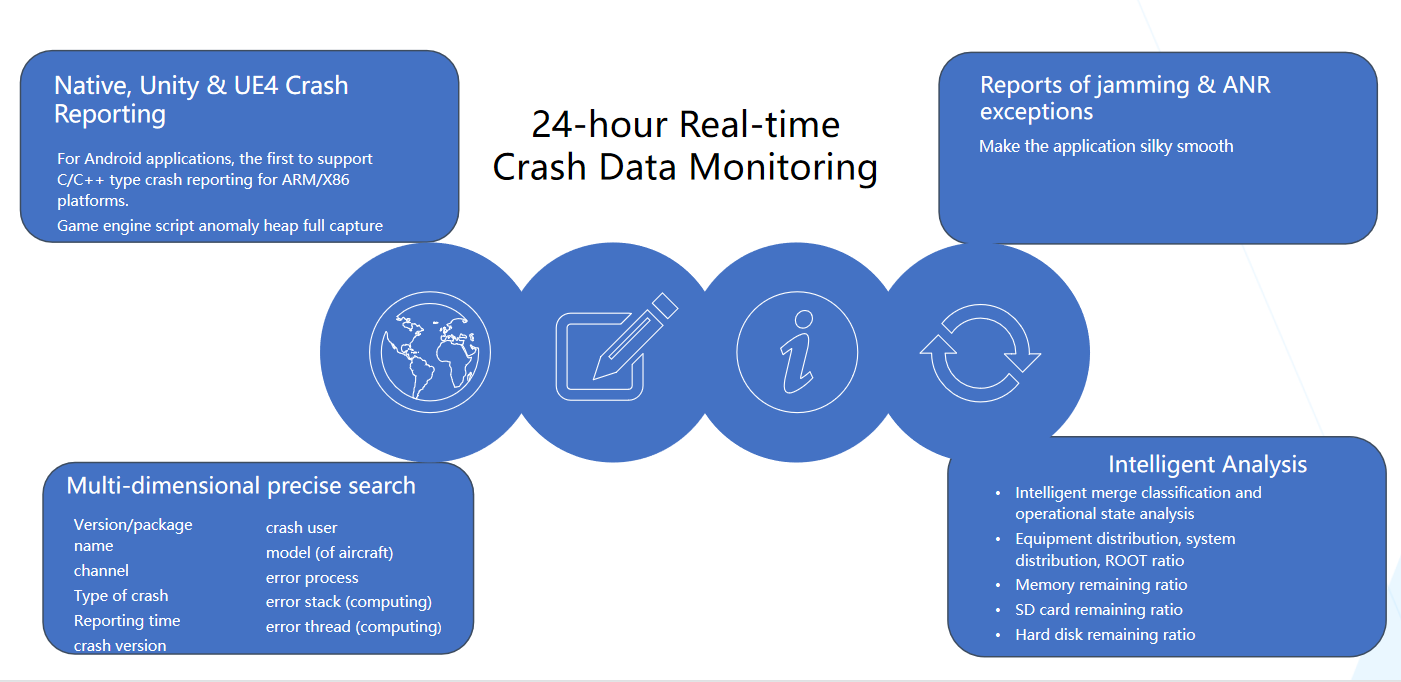
WeTest Crashsight advantages.png

For any inquiries, please contact: wetest@wetest.net

PD网络测试推广
Latest Posts
1The Path to Test Development: 7 Core Competencies for Modern QA Engineers What makes a senior QA engineer stand out? Explore the 7 core QA competencies including quality-driven execution, team influence, risk governance, process improvement, and technical fundamentals for modern software testing.
2Critical UI Test Automation Pitfalls and How to Fix Them Learn the most common UI test automation pitfalls in Android, including flaky tests, ADB instability, UI changes, and resource obfuscation, with practical fixes using POM, UiAutomator, and optimized scripting.
3Breaking Murphy’s Law in Testing: How to Avoid UAT Project Failures Learn how proactive full-lifecycle quality governance helps software test teams break Murphy’s Law, eliminate self-fulfilling UAT risks, and transform from reactive execution to strategic QA leadership.
4Why Testers Should Learn Source Code: Benefits & Practical Guide Learn why software testers need source code reading skills. Explore real test cases, Spring transaction pitfalls, debugging skills, and practical code learning strategies for QA engineers.
5AI-Native Application Testing: Reliability Challenges & Industrial Best Practices What makes AI-native applications reliable in real-world production? Explore core testing challenges, AI Agent evaluation standards, and industrial implementation practices for enterprise AI systems.